California JOS Webcam Cover (8 Pack) 0.03 inch Ultra Thin
Quick take
The California JOS 8-pack webcam covers are ultra-thin, slide-style camera privacy blockers meant to slide open for use and close when the webcam is not in use. They are best for people who want a low-profile cover for laptops, iPads, and many phones, but the biggest practical caveat is adhesive staying power on specific devices, especially if you move the phone in a pocket or carrier.
Pros and cons
Pros
- Ultra-thin 0.03 inch design intended to avoid interfering with device closure.
- Slide mechanism for one-finger open and close operation.
- Includes an 8-pack, intended to cover multiple devices.
- Easy installation steps (clean, align, press briefly) with adhesive backing.
Cons
- Adhesive performance can be inconsistent, with some users reporting the cover eventually coming off.
- Not a great match for devices with full-screen or notched tempered film arrangements (fit/clearance limits).
What buyers think
Buyer-review evidence is mixed but offers a clear theme: the covers are generally seen as useful for blocking a webcam lens, and many users report they work as expected for a period of time. At the same time, several reviews highlight adhesive staying power as the main weakness, including cases where the cover loosens and can fall off, with pocket or case movement making that more likely for phones. Review evidence also suggests the covers are more likely to remain in place when the surface is compatible and handling is more gentle.
What this webcam cover is for
This is a privacy accessory designed to physically block a webcam when you are not actively using it. The sliding design aims to make the cover easier to operate than a fixed tab, especially if you frequently join video calls or need quick access. The ultra-thin profile is intended to help the device close properly, which matters for many laptops.
Design and usability
Ultra-thin profile meant for closure
The 0.03 inch thickness is the core differentiator, positioned to stay out of the way when the laptop lid is closed. If you have ever had bulky camera covers get in the way, this is meant to address that problem with a low-profile build.
Slide-to-open, slide-to-close
The mechanism is designed for smooth, one-finger operation, so you can open or close the cover without re-positioning it each time. For frequent meetings, that usability detail can be a bigger deal than it sounds on paper.
Included accessories
It ships with an 8-pack of covers and includes a microfiber cleaning cloth, which aligns with the intended install process (clean first, align carefully, then press).
Compatibility and fit notes
- Universal coverage claim: It is marketed as compatible with most laptops, smartphones, iPads, tablets, and other devices that have a workable camera area.
- Surface and accessory limitations: It is noted as not suitable for devices that have full-screen or notched tempered film, which can affect how the cover aligns or sits on the device.
Because devices vary widely, the practical takeaway is to check that the camera location and surrounding surface allow the adhesive cover to sit flat and align cleanly.
Installation and adhesive expectations
The intended install flow is straightforward: clean the target area, peel and stick the cover, align it with the camera lens, then press for about 15 seconds. That said, multiple buyer comments point to adhesive staying power as the main factor that can determine whether the cover remains secure over time.
If you plan to use this on a phone, consider how often the device rides in a pocket or carrier. Motion and friction are common reasons adhesive accessories loosen, even when they initially feel secure.
Pros and cons at a glance
- Best for: Buyers who want a slide-style, ultra-thin webcam privacy cover for laptops and tablets, and who are comfortable applying adhesive accessories carefully.
- Also good for: People stocking a small set for multiple family devices, or anyone who wants a simple physical layer of webcam privacy.
- Not ideal for: Anyone using protective screen films that interfere with fit, or buyers who strongly need long-term adhesion on phones that are frequently moved around.
Is it worth it?
The California JOS webcam cover is a reasonable choice if you prioritize a low-profile sliding cover that is intended to work with many devices, and you are willing to take your time aligning it during installation. It becomes a less confident purchase if you are very sensitive to the idea of adhesive accessories potentially coming loose, especially on phones exposed to pocket or case friction. In that case, you may want to compare other camera privacy cover styles that rely on different attachment methods.
FAQ
Will this webcam cover interfere with closing a laptop lid?
The cover is designed to be ultra-thin (0.03 inch) with a low-profile build intended to avoid interfering when the laptop is closed.
How do you install the California JOS sliding webcam cover?
Clean the area first, peel and stick the cover, align it with the camera lens, then press for about 15 seconds to help the adhesive bond.
Does the adhesive last long?
Review evidence suggests performance can be time-limited for some buyers, with adhesive staying power being the most common concern. Longer-lasting results likely depend on device surface compatibility and how the device is handled after installation.
Is it compatible with phones and tablets?
It is marketed as compatible with many smartphones, iPads, tablets, and laptops. The key is whether the camera location and surrounding surface allow the cover to align flat without interference.
Is it safe to use with tempered screen film?
It is specifically noted as not suitable for full-screen or notched tempered film devices, which can impact alignment and fit.
What do you get in the box?
The bundle includes 8 webcam covers and a microfiber cleaning cloth.
Ready to compare? Buy on Amazon
Specifications
| Product Title | California JOS Webcam Cover (8 Pack) 0.03 inch Ultra Thin Laptop Camera Cover Slide for iPhone iPad MacBook Pro Computer iMac Cell Phone PC Accessories Camera Blocker Slider |
|---|---|
| Category | Electronics > Computers & Accessories > Laptop Accessories > Camera Privacy Covers |
| Manufacturer | California JOS |
| Item Weight | 1.13 ounces |
| Product Dimensions | 0.03 x 0.03 x 0.03 inches |
| Item model number | 810108863571 |
Recommended next
![CloudValley Webcam Cover Slide, [5 Pack] 0.6mm-Thin Metal Web Camera Cover Sticker for MacBook Pro, MacBook Air, Laptop, iMac, PC, Surfcase, iPhone 8/7/6 Plus, Privacy Cover, Black-5 pcs](/product-images/019ef399-bf91-7458-98b8-c1a03178a336-0-c52df2404f75.webp)
CloudValley Webcam Cover Slide, [5 Pack] 0.6mm-Thin Metal Web Camera Cover Sticker for MacBook Pro, MacBook Air, Laptop, iMac, PC, Surfcase, iPhone 8/7/6 Plus, Privacy Cover, Black-5 pcs
The CloudValley W3 metal webcam cover is a slim, matte-black privacy slider designed to sit over laptop and phone front-facing cameras without looking bulky. It’s made for buyers who want an understated cover that’s easy to align and won’t snag in pockets. The main tradeoff is fit, since the cover must match your exact camera placement to avoid being too small or misaligned.
![CloudValley Upgrade Magnetic Webcam Cover, [6-Pack] 0.023 inch Metal Camera cover slide](/product-images/019ee18b-88d8-7055-a631-58c319974189-0-d09430e82ae3.webp)
CloudValley Upgrade Magnetic Webcam Cover, [6-Pack] 0.023 inch Metal Camera cover slide
The CloudValley magnetic webcam cover pack is designed to be extremely thin and easy to install across many laptops and tablets. It uses a metal slide with strong magnets for a non-permanent seal, but the sliding piece can feel a bit flimsy on some setups, so alignment matters.
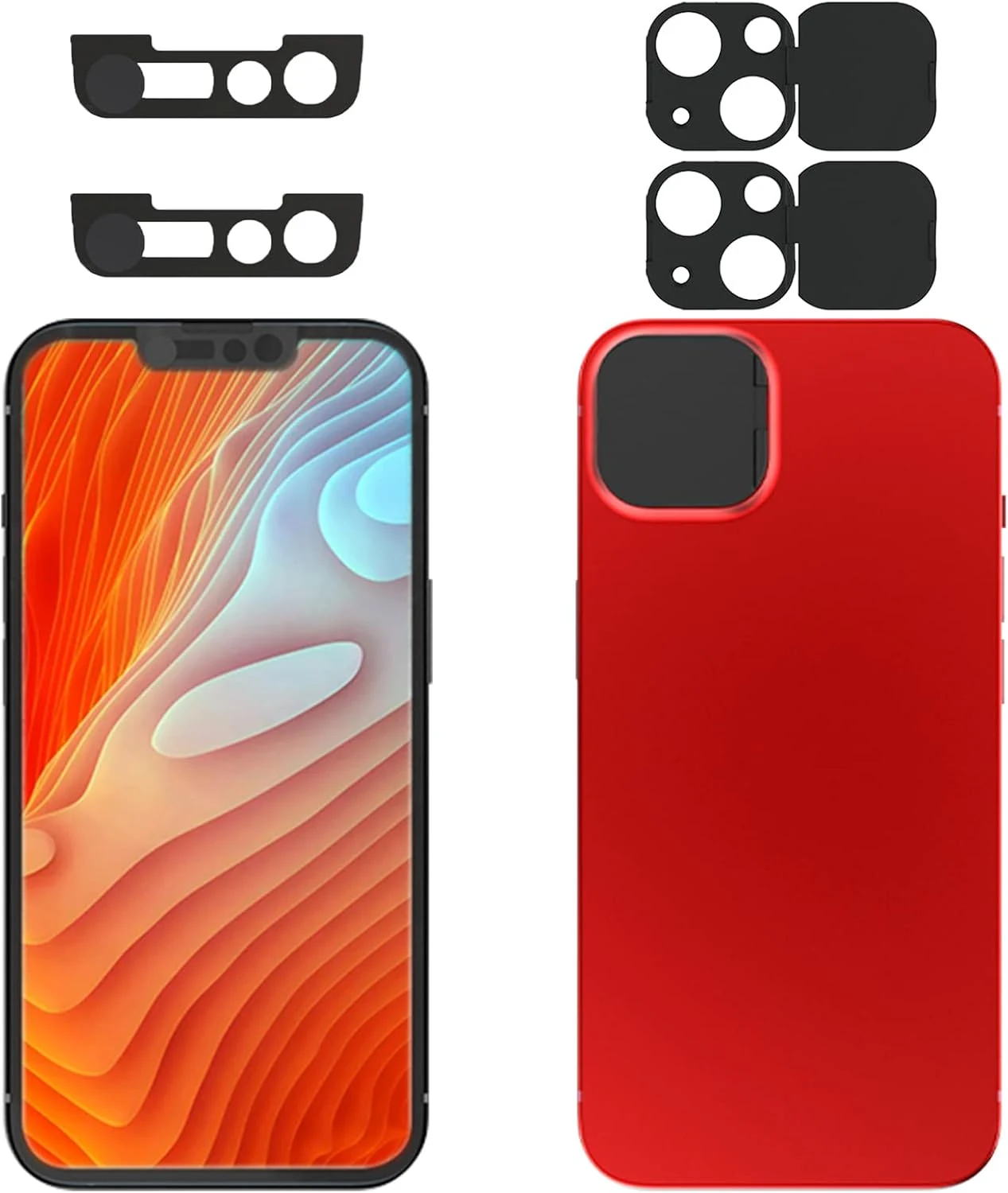
Privacy Cover Compatible for iPhone13 /iPhone 13 Mini with iPhone 13 Front Camera Cover (2 Pack)
This 2-pack camera privacy cover set is made to block both the iPhone 13 rear camera lenses and the iPhone 13 front camera area. It’s easy to install using adhesive tape and is designed not to interfere with face recognition when the front slider is closed, but buyer feedback suggests adhesion durability can vary over time, especially under screen protector conditions.
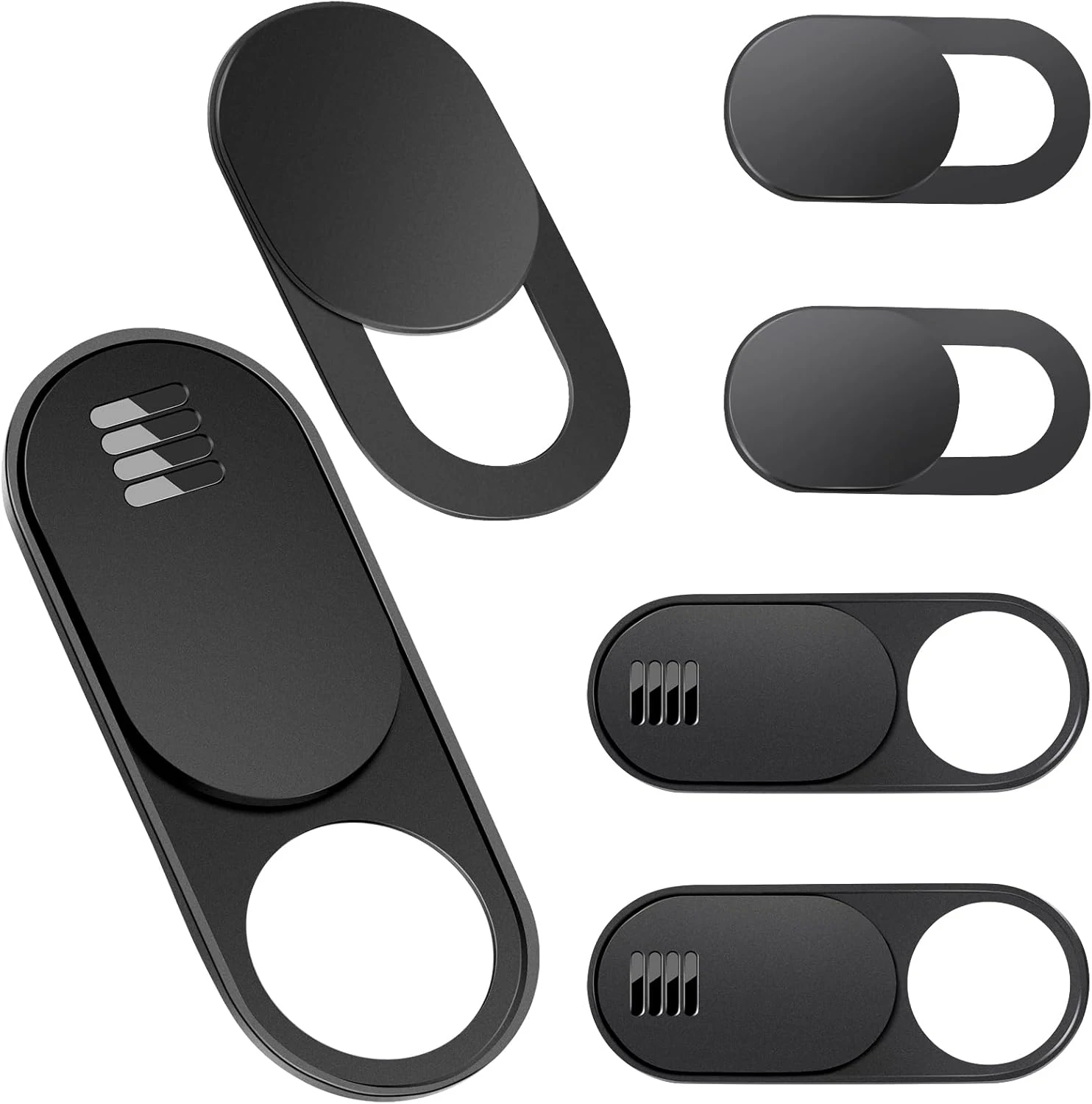
Toojcc Laptop Camera Cover Slide, 3 Large + 3 Small Ultra Thin Webcam Cover
The Toojcc camera cover slide is an ultra-thin, slide-to-open privacy blocker designed for laptops, tablets, phones, and even Tesla Model 3/Y interior cameras. It uses adhesive mounting, includes two aperture sizes (large and small), and is made to stay low-profile when your device closes. The main buying caveats are compatibility limits (curved screens, some full-screen devices, and a specific MacBook Pro model) and adhesive behavior over time.