Belkin 7-Port Ultra-Slim Desktop USB Hub
Quick take
This slim Belkin desktop USB hub adds 7 USB-A ports to your Windows or Mac computer, making it easy to plug in everyday peripherals and charging cables without adding a bulky box to your desk. Buyers highlight quick, straightforward setup and a compact footprint with cable management. The main caveat is performance, since it’s USB 2.0 (480 Mbps), so it’s not the best match for high-speed storage or bandwidth-heavy devices.
Pros and cons
Pros
- 7-port desktop expansion for USB-A peripherals
- USB 2.0 hi-speed support rated up to 480 Mbps
- Ultra-slim, lightweight design that saves desk space
- Built-in cable management to keep cords tidy
Cons
- USB 2.0 speed is better for basic devices than fast data transfers
- Most useful if you need more ports at a fixed desk location (not a high-speed workstation)
What buyers think
Buyer review evidence centers on reliability and practical desk use. Multiple people report the hub works right away after plugging in, with no noticeable compatibility problems for common USB-A accessories. Reviews also emphasize the compact, thin form factor, and several comments mention it keeps setups looking cleaner (especially compared with older, more space-consuming hubs). A smaller portion of feedback points to its usefulness for powering low-power USB devices, suggesting it can be a sensible option for simple USB power or peripheral needs. Overall buyer-review evidence is limited to these themes, but it is consistent: it is easy to live with, and it fits well into everyday desk workflows.
Who this hub is best for
- Desk setups that need more ports: if you want keyboard, mouse, printer, and charging cables connected at the same time without clutter.
- Everyday USB-A peripherals: devices that do not require USB 3.x-level bandwidth.
- People who prefer a low-profile look: the slim footprint is designed to sit next to a monitor or in tight spaces.
- Mac and Windows users: it’s intended to work across both common desktop/laptop environments.
Who should look elsewhere
- Anyone chasing maximum throughput: if you plan to connect high-speed external drives or you routinely move large files, the USB 2.0 ceiling (480 Mbps) may feel limiting.
- Buyers needing a specific charging standard: this hub is positioned for basic USB-A device connections, so check your device requirements if you expect specialized charging behavior.
Key features that matter in real use
7 ports in an ultra-slim desktop form
The core value is simple: you can expand to seven USB-A connections from a single computer port. The slim dimensions and lightweight build make it easier to keep your desk tidy, and the design targets setups where space is at a premium.
USB 2.0 hi-speed performance (480 Mbps)
The hub supports USB 2.0 hi-speed data rates up to 480 Mbps. That is typically appropriate for peripherals like mice, keyboards, and many printer/scanner workflows, plus general USB connectivity. For high-speed file transfers, expect it to behave like a USB 2.0 connection, not a fast USB 3.x experience.
Built-in cable management for a cleaner look
One of the most practical day-to-day benefits is cable organization. If your desk currently feels like a tangle of adapters and cords, a hub with built-in cable management can make everything easier to route and unplug when you need to.
Pros and cons
- Best for: adding multiple USB-A accessories to a desktop or laptop while keeping the setup slim and orderly.
- Not ideal for: bandwidth-heavy tasks where USB 2.0 limitations will show.
Setup and everyday compatibility tips
- Plan your port usage: plug in the devices you use most often first (mouse, keyboard, printer, etc.), then add charging cables and other low-data devices.
- Expect simple plug-and-play: buyer feedback frequently describes immediate working behavior without complicated configuration.
- Keep the desk ergonomics in mind: because the hub is thin and intended for desk placement, orient it so you can reach ports easily when you need to connect or disconnect devices.
Verdict
The Belkin 7-Port Ultra-Slim Desktop USB Hub is a solid choice if you want compact, straightforward USB-A expansion for everyday peripherals. It earns trust from consistent buyer reports of easy setup and tidy desk integration. If your goal is fast data transfer for external storage, it’s better to prioritize a newer hub standard than USB 2.0, but for keyboards, mice, printers, and general charging cable needs, this one is built for that job.
Price and availability
Pricing changes over time. For the most current cost and stock status, check the latest listing here: Buy on Amazon.
FAQ
Is the belkin 7-Port Ultra-Slim desktop USB hub USB 2.0?
Yes. It is a USB 2.0 hub with a hi-speed data transfer rating of up to 480 Mbps.
How many devices can I connect?
It provides 7 USB ports, so you can connect up to seven USB-A devices at your desk (for compatible peripherals and accessories).
Will it work with both Windows and macOS?
It is designed to be compatible with both Windows and Mac desktop or laptop computers.
What types of devices is this hub best for?
It’s well suited for common USB-A peripherals and everyday desk devices like keyboards, mice, printers, and connecting charging cables, especially when you want a slim hub with cable management.
Can I use it for high-speed external drives?
Because it is USB 2.0, it’s generally better suited to lower-bandwidth peripherals than fast file transfers from external storage.
Specifications
| Product Title | Belkin 7-Port Ultra-Slim Desktop USB Hub - Desktop USB Hub 2.0 - 7 Hi-Speed USB Ports - Compatible With MacOS & Windows For Connecting Charging Cable, Keyboard, Mouse & Any USB-Enabled Devices |
|---|---|
| Category | Electronics > Computers & Accessories > Networking Products > Hubs |
| Brand | Belkin |
| Manufacturer | Belkin Inc. |
| Model Number | E9M047tt |
| Operating System | Windows 10, Windows 7 |
| Item Weight | 1.44 ounces |
| Color | Black |
| Hardware Interface | USB 2.0 |
| Additional Features | Lightweight, Slim |
| Compatible Devices | PC, Mac |
| Total Usb Ports | 7 |
| Data Transfer Rate | 480 Megabits Per Second |
| Number of Ports | 7 |
| Enclosure Material | Unspecified |
| Item Dimensions L x W x H | 5.9"L x 1.18"W x 0.59"H |
| UPC | 722868789377 |
| Global Trade Identification Number | 00722868789377 |
| Mfr Part Number | F4U041tt |
| Item Type Name | Belkin Ultra-Slim Desktop - Hub - 7 Ports - Desktop - Black |
| Built-In Media | Hub - 7 ports |
| Special Feature | Lightweight, Slim |
Recommended next
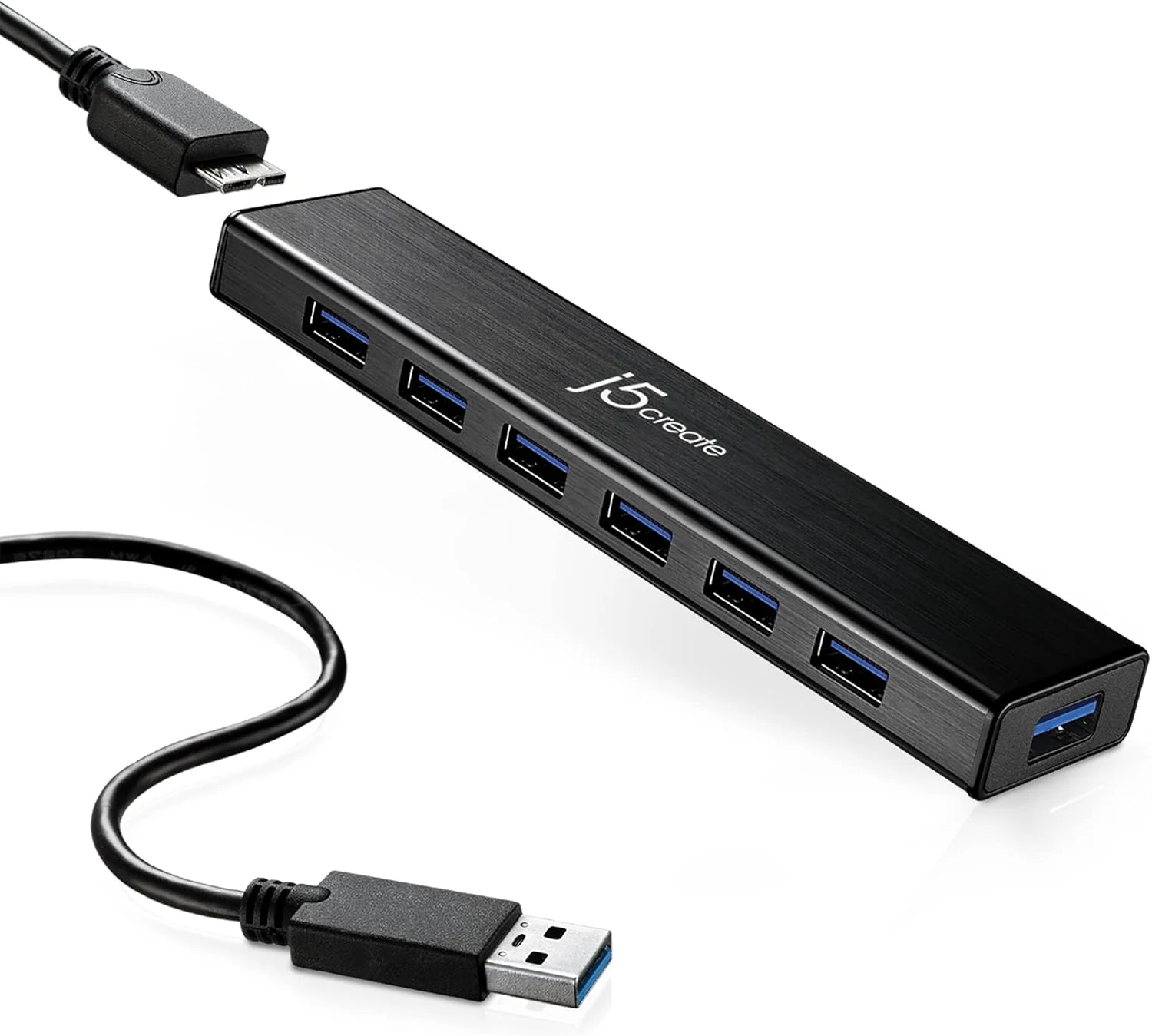
j5create 7-Port Powered USB 3.0 Data Hub with 3.3 ft Extended Cable (JUH377)
The j5create JUH377 adds seven USB 3.0 ports to a laptop or MacBook using a single USB plug, and includes a 20W power adapter for devices that need more than bus power. It is a good fit for everyday peripherals, plus one fast-charging port for phones and tablets, but it is not designed to fully power multiple power-hungry external drives at once.
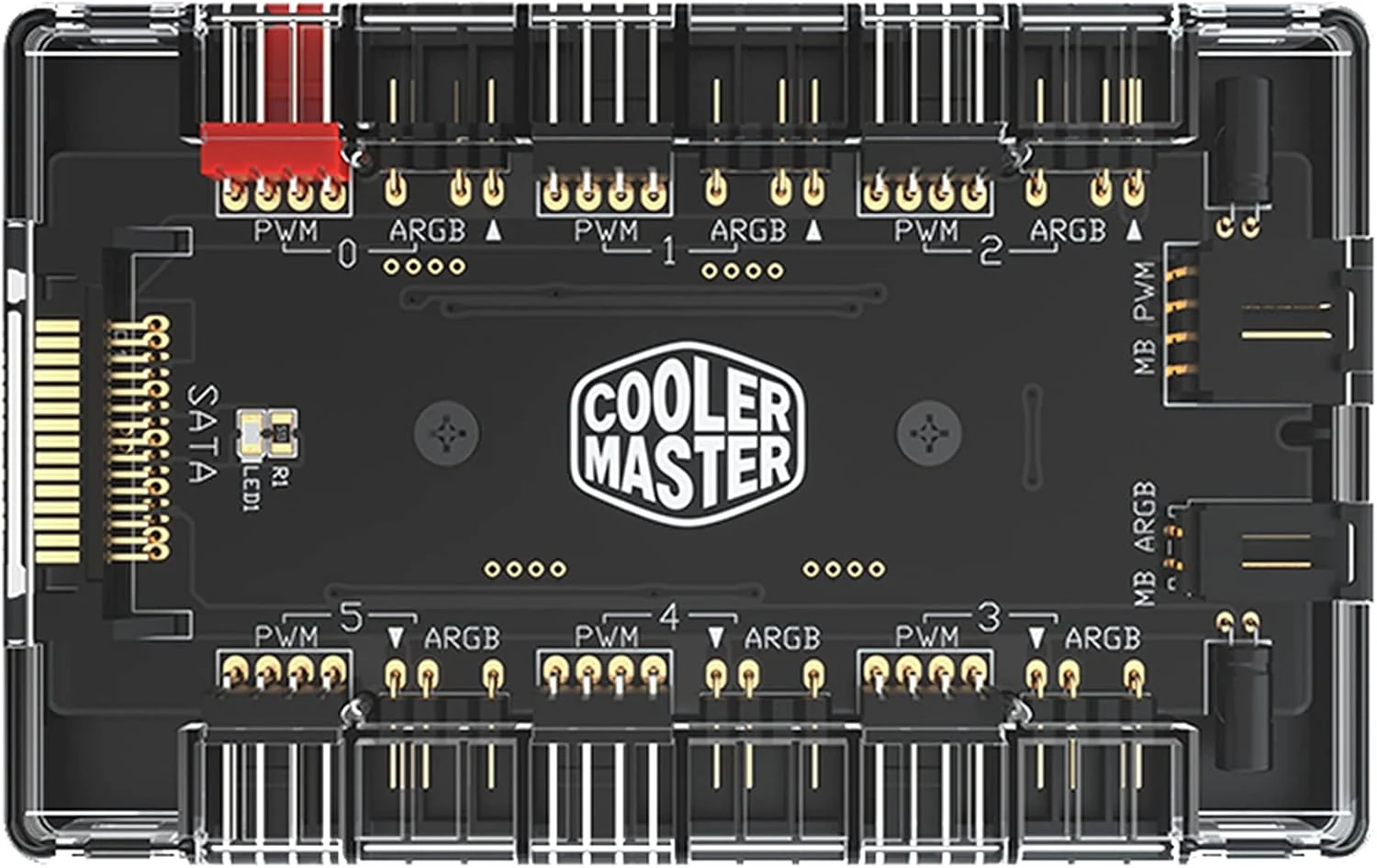
Cooler Master ARGB & PWM HUB 1 to 6 Port
The Cooler Master ARGB & PWM HUB 1 to 6 Port is a compact way to run multiple PWM fan power connections and multiple 3-pin addressable RGB (ARGB) control channels from fewer motherboard headers. It uses SATA power and includes a built-in magnet for cleaner case mounting, but fitment can require careful attention to header spacing, and it may not deliver the same per-fan lighting effects for every fan brand or ecosystem.
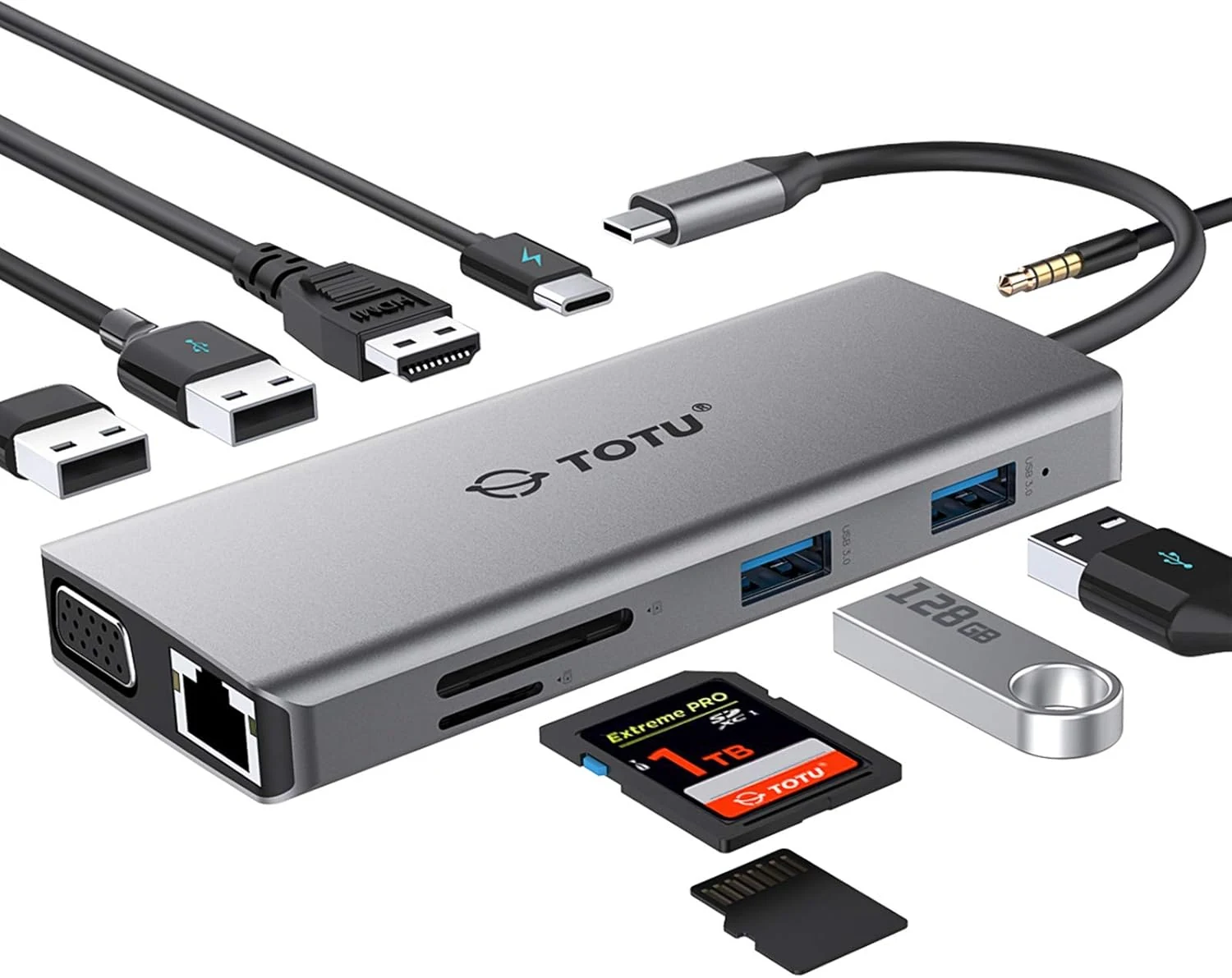
TOTU 11-in-1 USB-C Hub: 4K HDMI, VGA, 2x USB3.0, 2x USB2.0, Ethernet, SD Card Reader, Audio, 3.0 PD, Mac Pro & Laptops Compatible
The TOTU 11-in-1 USB-C hub is a compact all-in-one dock that adds HDMI and VGA video, gigabit Ethernet, dual card slots, audio, and multiple USB ports, plus USB-C PD pass-through charging up to 87W. It’s a strong fit for travelers and laptop owners who want one adapter for monitors, wired internet, and everyday accessories, with the main caveat that dual HDMI+VGA output duplicates rather than extends.
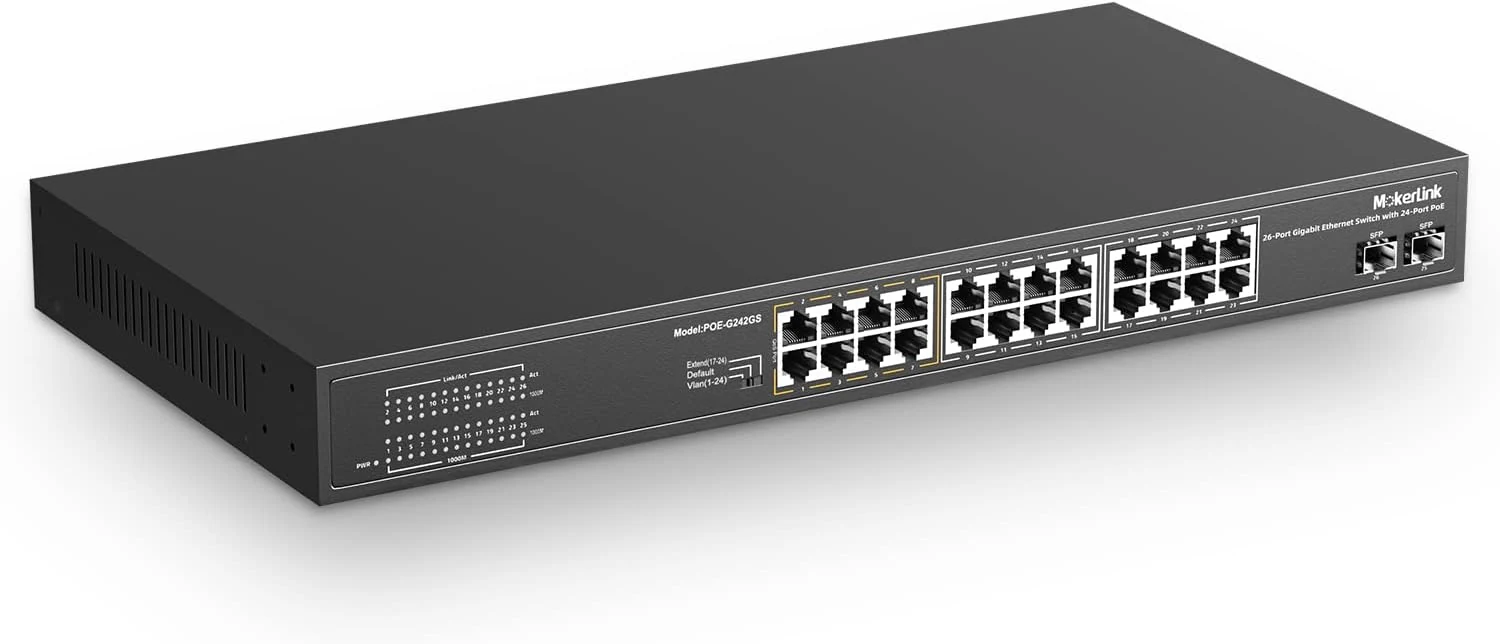
MokerLink 26 Port Gigabit PoE Switch, 24 Gigabit PoE+ Ports, 2 Gigabit SFP Uplink
A fanless, 1U rackmount unmanaged PoE+ switch with 24 gigabit PoE+ ports and two gigabit SFP uplinks, designed for plug-and-play camera and access point deployments. It offers a strong 300W total PoE budget (802.3af/at) plus simplified features like port-based VLAN and an “extend” mode for longer runs at reduced speed, with a key limitation: it does not power 24V passive PoE devices.