ZimaBlade 7700 Home Server Starter Kit, 16GB RAM + 32GB eMMC
Quick take
The ZimaBlade 7700 is a compact, fanless x86 home server designed for always-on self-hosting, with CasaOS preinstalled for an easier, GUI-first setup. It’s a good match for LAN-based media streaming and personal storage on a budget, and it has PCIe x4 expansion to grow over time. The main caveat is that performance can feel slow for heavy workloads, and setup may require extra accessories (like a USB hub and video adapter) to use the included USB boot flow smoothly.
Pros and cons
Pros
- Quiet, fanless design suited to bedrooms and living spaces.
- CasaOS preinstalled for simpler app installs and self-hosting management.
- x86 platform support for running apps without ARM compatibility workarounds.
- PCIe 2.0 x4 expansion for adding modules like NVMe storage or 2.5GbE networking.
- Designed for local, private use (data stays on your LAN).
Cons
- Performance expectations need to be realistic, especially for demanding game servers or heavy CPU loads.
- Some buyers note setup can be a bit more involved than expected (USB hub, keyboard/mouse, display adapter, and BIOS boot steps).
- Buyer-review evidence includes at least one serious reliability complaint, and overall review sample size is small.
- Home Assistant experience through CasaOS may feel less customizable than some alternatives.
What buyers think
Buyer-review evidence is limited but points to a few consistent themes. Setup is generally described as approachable, especially if you are comfortable following basic boot instructions, but at least some shoppers needed extra peripherals like a USB hub and a mini display-to-HDMI adapter. In day-to-day use, buyers liked the low-noise, always-on operation and felt power use was better than a traditional NAS. Performance is sometimes described as a little slow, and one review explicitly cautioned not to expect it to run a fast Minecraft server. There are also mixed experiences with value and long-term reliability, including a small number of buyers reporting devices that stopped working, even though support communication (Discord) was described positively.
What is the ZimaBlade 7700, and who is it for?
ZimaBlade 7700 is a home server starter kit built around an Intel x86 platform and shipped with CasaOS, which is intended to make self-hosting easier through a visual interface. It is positioned for common home-server jobs like media streaming, local file storage, and smart-home or automation workflows, without forcing you to manage everything from a terminal.
Best for: people who want a compact, low-noise server for everyday self-hosting on a LAN, especially if you care about privacy and a “set it up and forget it” approach.
Good first projects: a personal media server for 4K streaming use cases, a private photos and file library, and light home automation or whole-home services that do not require desktop-class performance.
Key features that affect daily use
Fanless, low-noise operation
The fully passive design is the standout day-to-day benefit. Buyers repeatedly emphasize “no noise” and suitability for always-on placement. If your main goal is running a server in a bedroom, office, or living space, this is the feature category to prioritize.
CasaOS setup, with GUI-first app installs
CasaOS comes preinstalled, and the workflow is described as app installation through a one-click interface, with a cleaner setup experience compared with command-line-only options.
PCIe x4 expansion for future upgrades
The kit includes PCIe 2.0 x4 expansion, which is where many home-server plans get more interesting over time. It gives you a path to add storage (for example, NVMe) or networking options (like 2.5GbE) without replacing the whole system when your needs grow.
Local-first privacy
It is designed for private use on your network, with no cloud dependency required for the core self-hosting concept. That matters if you want personal data, media libraries, and local services staying within your home environment.
Performance reality check (and what not to expect)
Some buyers report that the system can feel “a little slow.” One review also cautioned against using it for a fast Minecraft server. That does not mean it is unusable for all projects, but it does point to the right expectation setting: treat it as a low-power home server for practical self-hosting and media/file management, not as a replacement for a high-end gaming PC or a performance-focused workstation.
Pros and cons for common buyer scenarios
If you want a quiet media and file server
You are in the target lane. The fanless design and low-noise reports align well with living-space placement, and the local-first setup supports personal media libraries and file storage.
If you want a home automation hub
If you rely on advanced customization workflows, be prepared to compare your preferred Home Assistant setup path.
If you need fast, CPU-heavy workloads
Set expectations low. Review evidence includes complaints about slowness and advice not to expect fast game-server performance. If you plan to run multiple demanding services at once, you may need to consider either expansion planning or a more powerful compute alternative.
Setup, compatibility, and practical requirements
Most of the friction buyers mention is around getting the system fully usable during setup. Another buyer described using BIOS boot keys during startup to select the USB boot device.
What to prepare before you start: a USB hub, a suitable display adapter (if your monitor inputs do not match what the server provides), and patience for basic BIOS boot-step instructions.
Reliability and value considerations
Review evidence includes mostly “so far so good” style updates and generally positive impressions around quiet operation and value for the money. However, there is at least one serious reliability complaint about the device dying unexpectedly, and the review count is small overall. If long-term uptime is mission critical for you, consider whether you want a backup plan (like redundancy or a fallback device) before betting your entire workflow on a single unit.
Price and availability
The ZimaBlade 7700 is listed as in stock in the US market at the time of this writing. For the best decision, compare the current price against what you plan to do first (media/file services) and whether you will need to add storage, networking, or other PCIe modules soon.
Verdict: is ZimaBlade 7700 worth it?
Buy the ZimaBlade 7700 if you want a fanless, compact x86 home server with CasaOS that can handle everyday self-hosting like media streaming and local files, while staying quiet for 24/7 use. Choose it with realistic expectations for performance, and be ready for a small setup learning curve involving boot peripherals and basic BIOS steps. Skip it (or at least add caution) if your priority is heavy CPU workloads or if you need proven high reliability backed by broader review evidence.
FAQs
What can I run on the ZimaBlade 7700?
It is designed for typical home server self-hosting use cases such as media streaming and personal files, plus home automation and Docker-based workflows. The right fit depends on workload size, since buyers note performance can be on the slower side for demanding tasks.
Does it have fans or is it really quiet?
It uses a fanless, passive cooling approach. Reviewers describe it as very quiet with no noticeable noise during operation.
Is CasaOS easy for beginners?
CasaOS is intended to simplify setup with a visual interface and one-click style app installation. Some setup steps may still require basic hardware prep (like USB peripherals and display adapters) depending on your setup.
Does it support expansion?
Yes, it includes PCIe 2.0 x4 expansion, which can be used to add components for storage and networking upgrades as your needs evolve.
How good is it for gaming servers like Minecraft?
Buyer feedback suggests it is not a strong choice for fast, performance-heavy game server expectations. It is better positioned for quieter, practical home self-hosting rather than top-speed gaming workloads.
What should I do before powering on and setting it up?
Have a USB hub available for keyboard and mouse during USB boot, and plan for monitor connectivity (a mini display-to-HDMI adapter may be needed). Also be prepared to follow BIOS boot-selection steps if required.
Specifications
| Product Title | ZimaBlade 7700 Home Server Starter Kit, 16GB RAM + 32GB eMMC, Open x86 Platform, CasaOS Preinstalled,Docker & Self-Hosting Ready, Quiet Low Power, PCIe Expandable, Remote Access, 4K Media Server |
|---|---|
| Category | Electronics > Computers & Accessories > Servers |
| Brand | zimablade |
| Manufacturer | SHANGHAI ICEWHALE TECHNOLOGY CO LTD |
| Model Name | ZimaBlade |
| Model Number | ZimaBlade |
| Operating System | CasaOS |
| RAM Memory Installed | 16 GB |
| Memory Storage Capacity | 16 GB |
| CPU Model | Core i7 |
| Connectivity Technology | PCIe, SATA |
| Processor Brand | Intel |
| Compatible Devices | Desktop |
| RAM Memory Technology | DDR3L |
| Processor Count | 4 |
| Total Usb Ports | 2 |
| Smart Home Compatibility | Smart Home Compatible |
| Built-In Media | other |
| Global Trade Identification Number | 06974755831131 |
| Warranty Description | 2 |
| Unit Count | 1.0 Count |
| Ram Memory Installed Size | 16 GB |
Available variants
Color
- Basic Kit
Recommended next
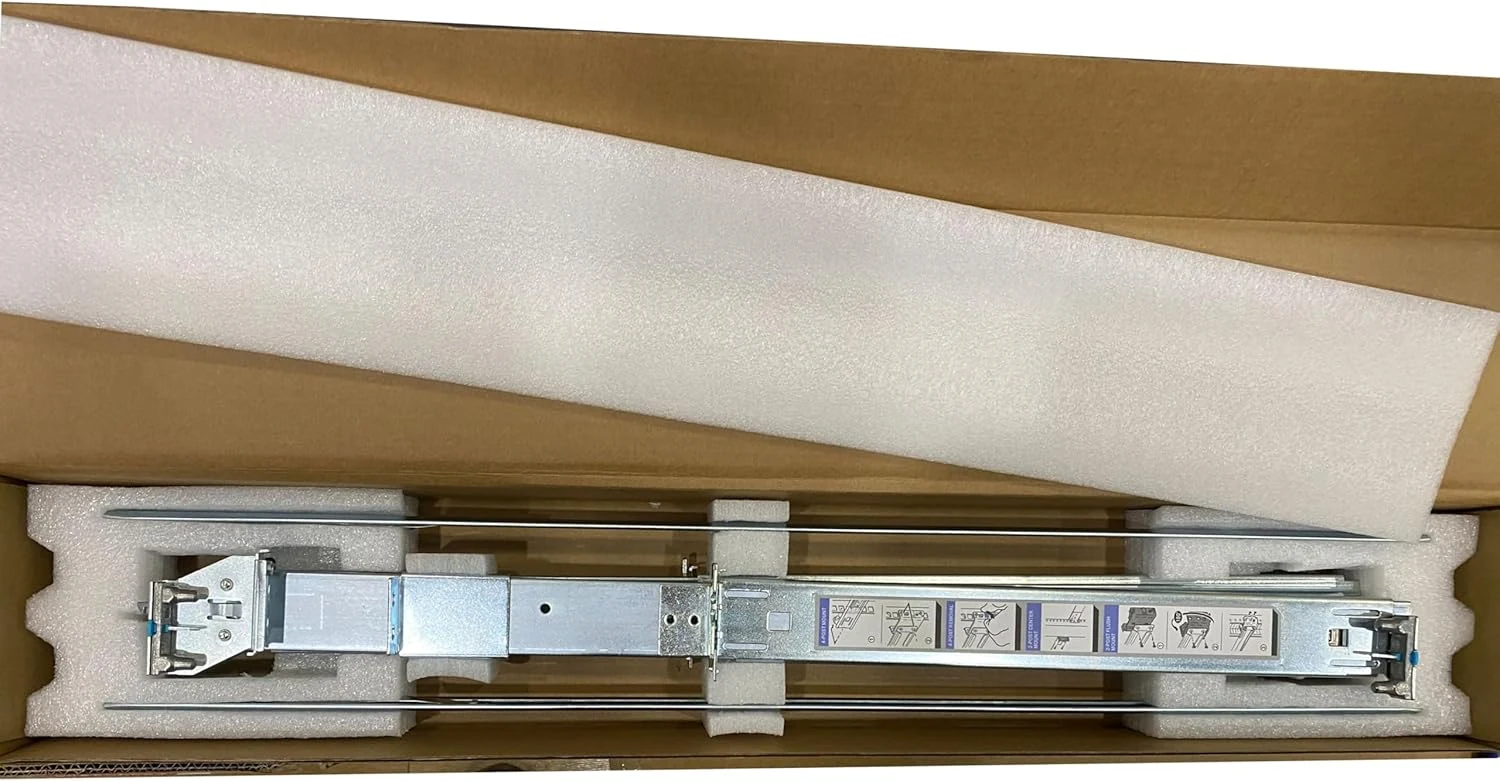
BestParts New 2U Short Static Rail Kit Replacement for Dell review
The BestParts 2U short static rail kit is a metal replacement sliding rail setup intended for many Dell PowerEdge server models that use compatible rail part numbers (including H872R). Buyers who match their server’s rail requirements often report a straightforward fit, but at least one review raises concerns about build quality. If you need a budget-friendly replacement and can confirm your Dell P/N compatibility, it can be a practical option.