VCELINK 2 Port RJ45 Network Switch, Ethernet Splitter 2-in 1-Out or 1-in 2-Out, Power-Free Passive Ethernet Selector 1000Mbps Cat6/Cat5e/Cat5, PoE
Quick take
This VCELINK RJ45 A-B switch is a small, power-free Ethernet selector that lets you manually choose between two network lines. It is designed for practical “switch and go” setups like swapping between a home network and an ISP backup, or toggling PoE feeds for some cameras, but it cannot run both connections at the same time.
Pros and cons
Pros
- Power-free, mechanical slide switch for plug-and-play operation.
- Supports up to 1000Mbps and works with Cat6/Cat5e/Cat5 cabling.
- PoE compatibility, useful for setups that need full connection switching rather than data-only control.
- Physical isolation between the two chosen paths when you switch.
Cons
- Manual selection means only one path can be active, not both at once.
- Not a performance enhancer, it is a routing selector, so it does not replace a real network switch for multiple simultaneous devices.
What buyers think
Buyer feedback centers on the switch being straightforward and easy to use, with a slide action that feels secure and intentional (less worry about accidental toggling). Many buyers describe it as solving a specific switching pain point, like changing from one internet source to another without repeatedly unplugging cables. There is also recurring mention of using it for PoE security camera on/off control, where the full Ethernet connection is toggled rather than only data. Overall, the review evidence points to reliable day-to-day usability for simple A-B selection, while detailed feedback on edge-case compatibility is limited.
What it is (and what it is not)
The VCELINK 2-port RJ45 Ethernet switch is a passive, mechanical selector. You connect two Ethernet lines to the switch, then use the slide position to select which line is passed through to your device. The two common wiring modes are:
- 2-in 1-out: two different networks connect in, one device connects out, and you choose which network the device uses.
- 1-in 2-out: one Ethernet input feeds two possible devices, and you choose which device gets the connection.
Because it is not an active multi-port router or a standard unmanaged switch, it is not meant to let multiple devices share the internet simultaneously the way a traditional switch does.
Key features that matter in real use
Power-free switching
No power adapter is required for operation. The mechanical switch design is intended to keep setup simple and reduce points of failure related to power.
Gigabit-speed design
It is rated for up to 1000Mbps and supports common Ethernet cable types such as Cat6, Cat5e, and Cat5. This makes it suitable for gigabit-class internet and local Ethernet connections where you want the switch to stay out of the way.
PoE compatibility for full on/off behavior
It supports PoE devices, and buyers specifically use it where they want PoE-enabled camera feeds toggled by switching the Ethernet path. This is a useful distinction if your goal is to actually disable a camera connection, not just data communication.
Physical isolation by design
When you select one side, the other side is not active through the switch. That physical selection behavior is the core reason it is useful for swapping between networks, including scenarios where you want to avoid mixing routes.
Pros and cons for different buyers
Best for
- People switching between two internet sources (for example, primary service and a backup ISP), where manual cable switching is inconvenient.
- Work-from-home users who want a quick way to swap a network path for devices that connect differently to home and work systems.
- Home PoE camera setups where you want to toggle which Ethernet feed is active for certain cameras.
- Anyone who prefers simple hardware control (no apps, no software configuration, no power requirement).
Who should avoid it
- Buyers who need both connections active at the same time. This is selection, not dual-output bridging.
- Anyone trying to expand a LAN for multiple devices. If you need simultaneous connections for several devices, a standard Ethernet switch is the better category.
Buying guide: how to choose the right networking switch
Before purchasing, match the switch type to your goal:
- Need A-B selection? Choose a 2-port Ethernet selector like this one. It is ideal for “one path at a time” use cases.
- Need multiple devices online together? Look for a real unmanaged Ethernet switch (more than two outputs) instead of an A-B selector.
- PoE requirement: If you are controlling PoE cameras, confirm your goal is to switch the full Ethernet path (not just data). PoE compatibility is a key requirement for those setups.
- Cabling and speed: If you care about gigabit performance, use appropriate Cat5e/Cat6 cabling and keep cable runs reasonable.
Verdict
The VCELINK 2 Port RJ45 Network Switch is a practical, low-fuss solution for anyone who wants a compact way to switch which Ethernet line a device uses, or to toggle PoE feeds for certain camera behavior. It is best when you prefer manual control and only need one path active at a time. If you need simultaneous connectivity or multi-device LAN expansion, you will want a traditional Ethernet switch instead.
Price and availability
Check the current price and availability before ordering, since listings can change. If you are comparing options, also confirm that you are selecting the correct wiring mode for your setup (2-in 1-out versus 1-in 2-out behavior).
FAQ
Is this an Ethernet splitter or a network switch?
It is best thought of as an Ethernet selector switch (an A-B style RJ45 switch). It manually selects between two connected paths. It does not typically function like a hub or an unmanaged switch that lets multiple devices use the same link simultaneously.
Can I use it to switch between two internet connections?
Yes. The common 2-in 1-out setup is a good fit for choosing which network feeds your single device. This can reduce the need to repeatedly unplug Ethernet cables when swapping internet sources.
Will both ports work at the same time?
No. The design is based on selecting one side at a time, so you cannot enable both connections simultaneously through the switch.
Does it work with PoE security cameras?
It is PoE-compatible, and buyers use it in PoE camera environments to toggle which Ethernet path is active. That makes it suitable for setups where you want the camera connection to be switched off, not only data connectivity.
Does it require power?
No. It is designed as a power-free passive selector with a mechanical slide control.
What Ethernet speed does it support?
It is rated for up to 1000Mbps and is compatible with Cat6, Cat5e, and Cat5 cabling.
Specifications
| Product Title | VCELINK 2 Port RJ45 Network Switch, Ethernet Splitter 2-in 1-Out or 1-in 2-Out, Power-Free Passive Ethernet Selector 1000Mbps Cat6/ Cat5e/ Cat5, PoE, Slide Switch, RJ11, RJ12, 1 Pack |
|---|---|
| Category | Electronics > Computers & Accessories > Networking Products > Switches |
| Brand | VCELINK |
| Manufacturer | VCELINK |
| Model Number | M241-1P-DE |
| Item Weight | 40 Grams |
| Hardware Interface | Ethernet |
| Compatible Devices | Desktop, Router, Smart TV |
| Data Link Protocol | Fast Ethernet or Gigabit Ethernet |
| Data Transfer Rate | 1000 Megabytes Per Second |
| Mfr Part Number | M241 |
| Unit Count | 1.0 Count |
| Warranty Description | 18 months |
| Number of Packs | 1 |
| Number of Items | 1 |
Available variants
Number Of Items
- 1
- 2
Recommended next
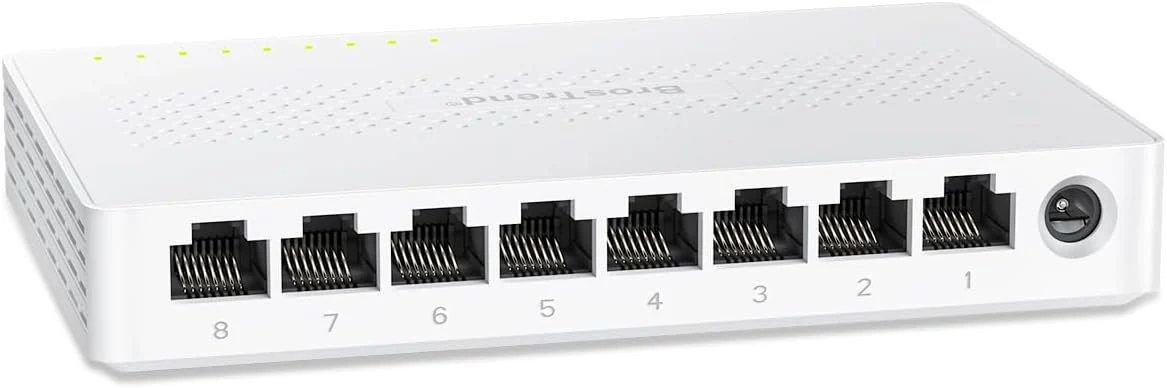
BrosTrend 2.5Gb Switch, 8 Port Network Switch 2.5 Gigabit, Unmanaged Ethernet Switch
The BrosTrend 8-port unmanaged 2.5Gb switch is a simple, fanless way to add multi-gig speeds to a small home office or gaming setup. It focuses on plug-and-play convenience, quiet operation, and using common RJ45 connections, with a straightforward limitation: it does not add managed features like VLAN.
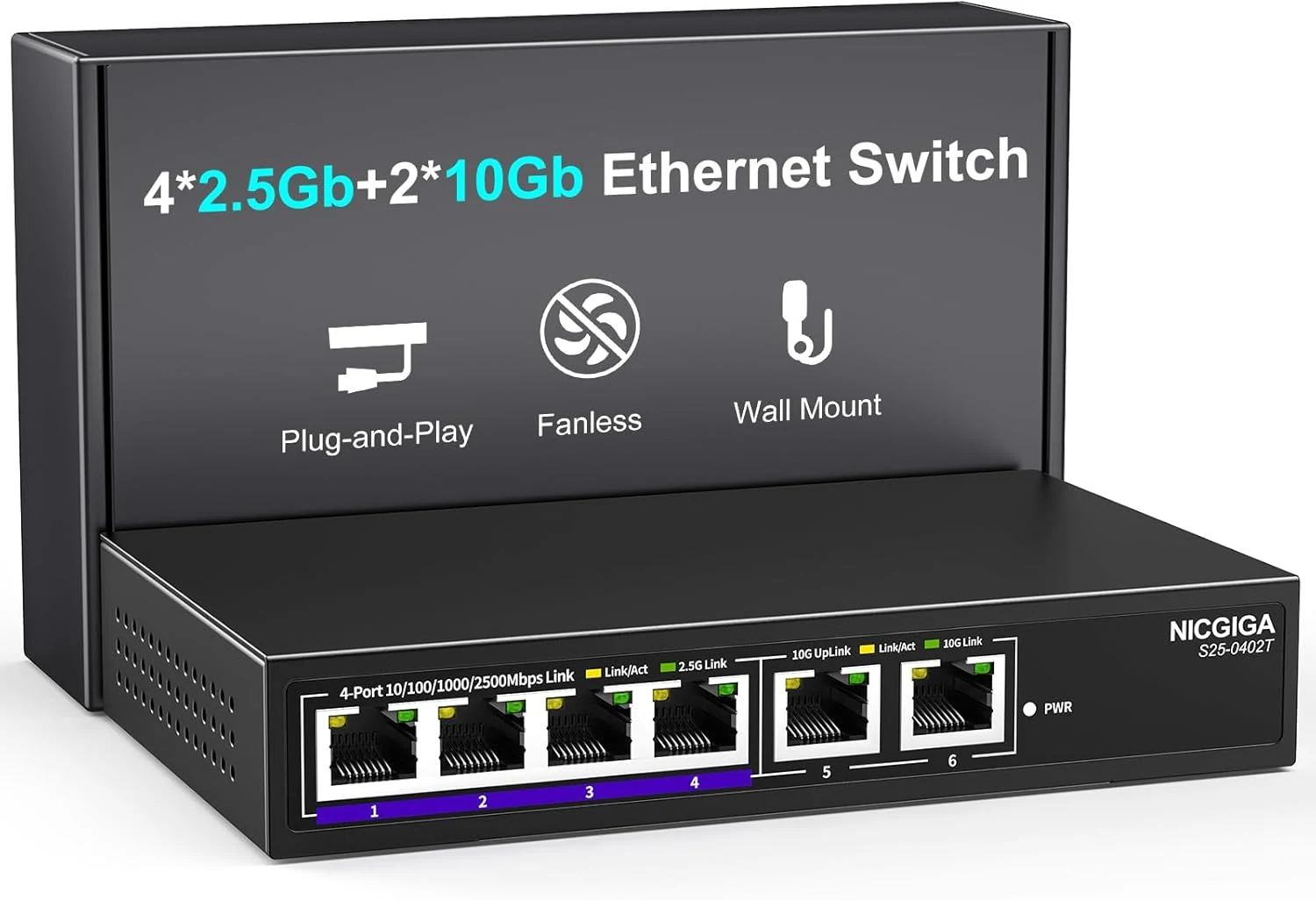
NICGIGA 10Gbe Ethernet Switch Unmanaged with 2 x 10Gb RJ45 Ports + 4 x 2.5Gb Base-T Ports
A simple, unmanaged 6-port switch that mixes 2 x 10Gb RJ45 and 4 x 2.5Gb RJ45 for upgrading a home lab, NAS, or Wi-Fi setup. It is designed for plug-and-play use, fanless operation, and quiet 24/7 running, with the main caveat that unmanaged switches offer no advanced controls.
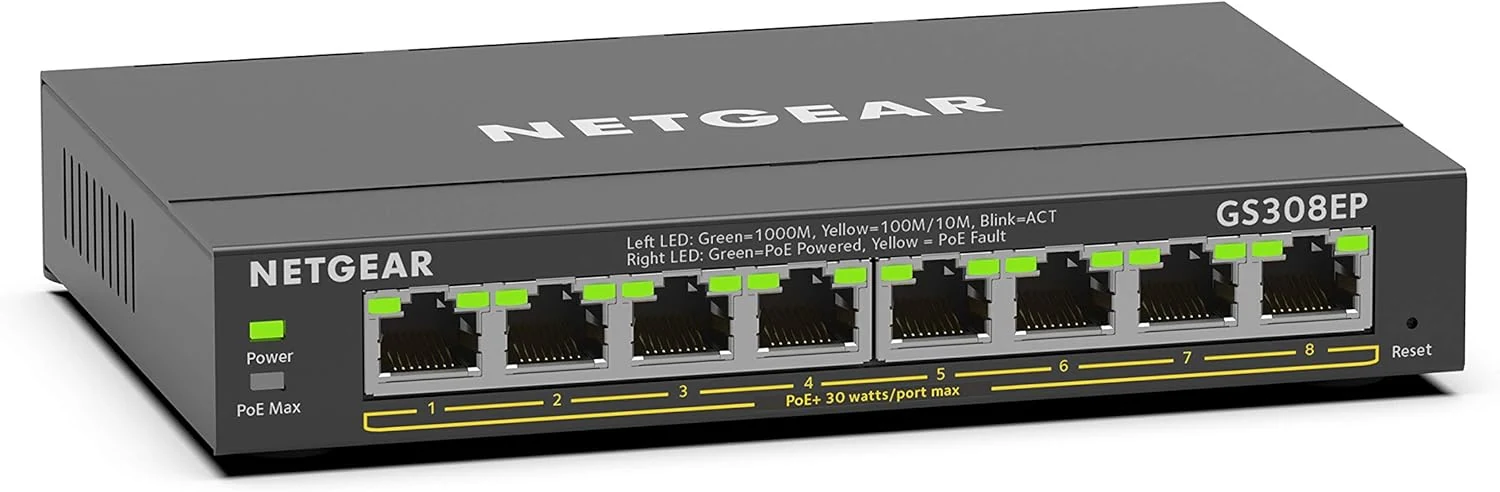
NETGEAR 8 Port PoE Gigabit Ethernet Easy Smart Managed Essentials Switch (GS308EP)
The NETGEAR GS308EP is an 8-port Gigabit PoE+ (8 PoE+ ports) smart managed switch designed to power devices like IP cameras, VoIP phones, and wireless access points with a 62W total PoE budget. Buyers highlight plug-and-play simplicity, stable performance over months, and a compact desktop or wall-mount form factor, with the main tradeoff being limited “advanced” controls compared with more feature-heavy managed switches.
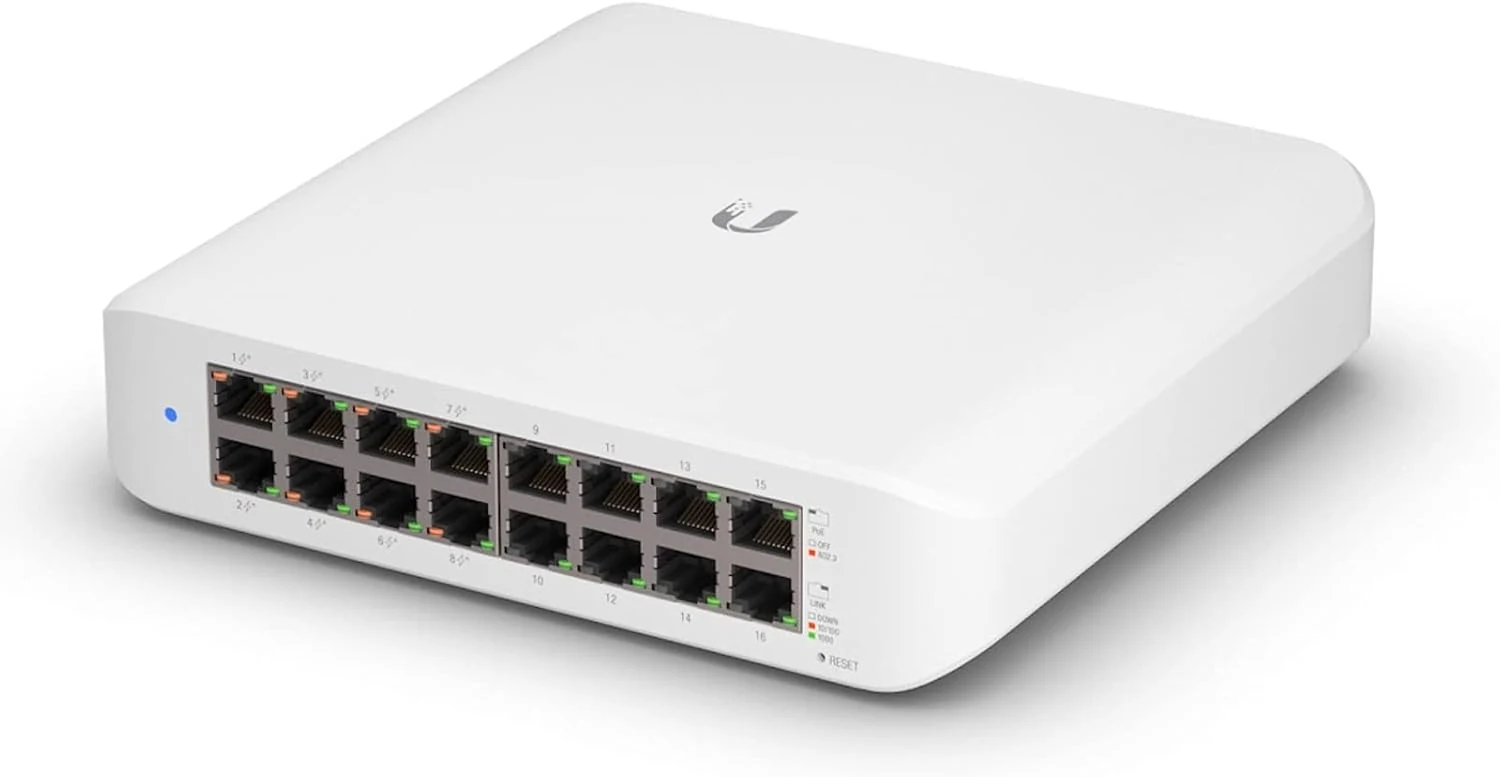
Ubiquiti UniFi Switch (USW-Lite-16-PoE, 16 Gigabit Ethernet Ports, 8 PoE+ Ports, Wall Mounted)
The Ubiquiti UniFi Switch USW-Lite-16-PoE is a fully managed, Layer 2 gigabit switch built for UniFi controller setups. It includes eight PoE+ ports for powering devices like access points and cameras, with an overall PoE power cap that matters if you plan to run power-hungry gear.